Metafields Guru July 2022 update: Shopify Flow integration, metafield lists, and Excel-like editor full-screen mode

In July 2022, Metafields Guru added a Shopify Flow integration for automating metafield updates, full support for Shopify's metafield lists, and a full-screen mode for the Excel-like editor. Here's what each of these means for your workflow.
What's new at a glance
- Shopify Flow "Update metafield" action - build no-code automations that update any metafield type when a trigger fires in your store.
- Available on Shopify Plus, Advanced, and Shopify plans, or stores on the Shopify Fulfillment Network - matching Shopify Flow's own plan requirements.
- Full support for metafield lists - store and manage multiple values in a single metafield.
- Full-screen mode for the Excel-like editor.
Shopify Flow integration
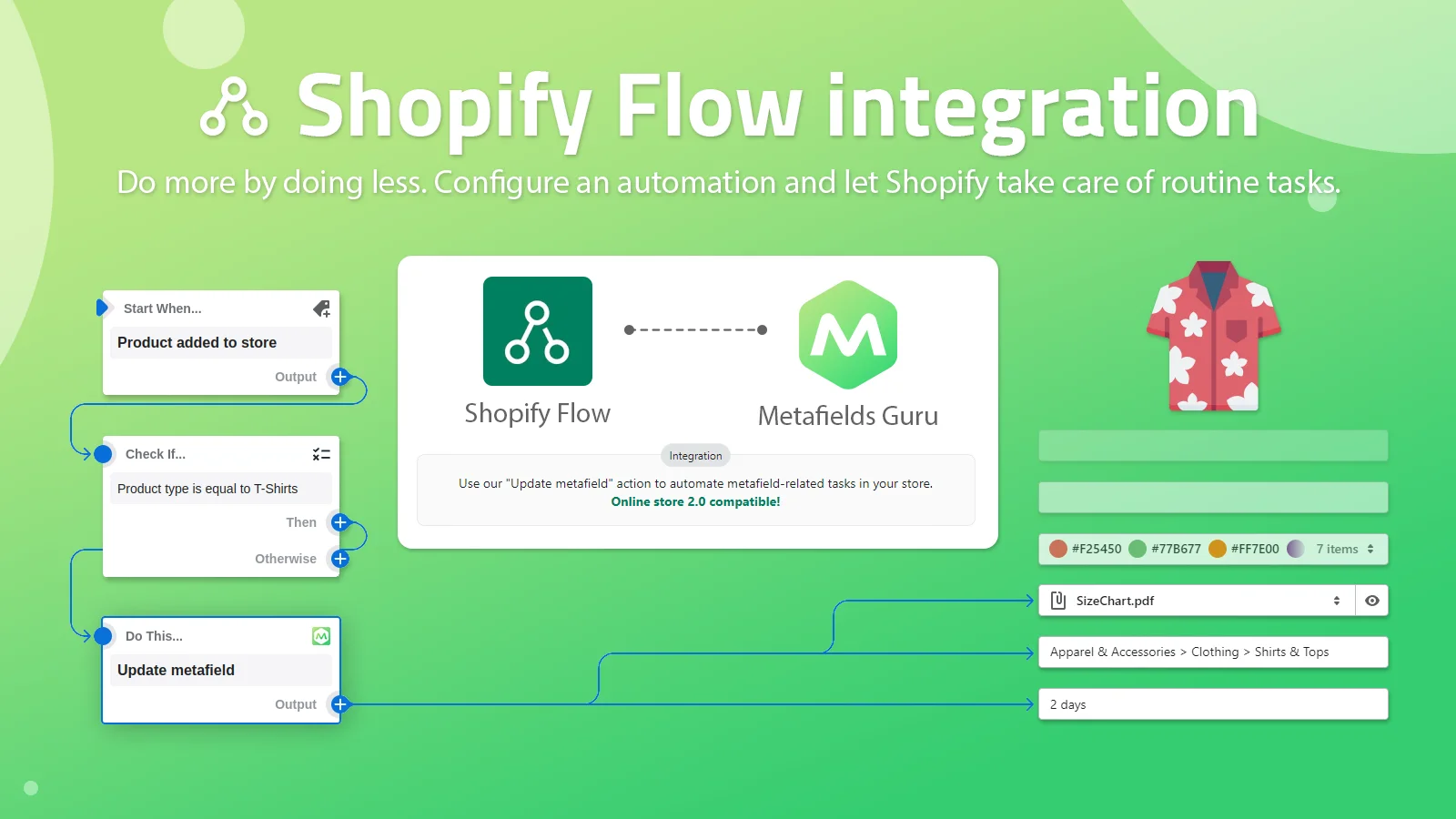
Shopify Flow is a tool for configuring automated tasks in your Shopify admin panel. No coding or development skills required. Use a visual builder to add triggers, conditions and actions logic to create your own workflow — like creating a metafield. Unlike the default Shopify Flow actions, our custom actions support all metafield types.
Sounds great, but it does have some limitations. Shopify Flow is available only for stores subscribed to the Shopify Plus, Advanced, or Shopify plans or those that use the Shopify Fulfillment Network.
Metafield lists support
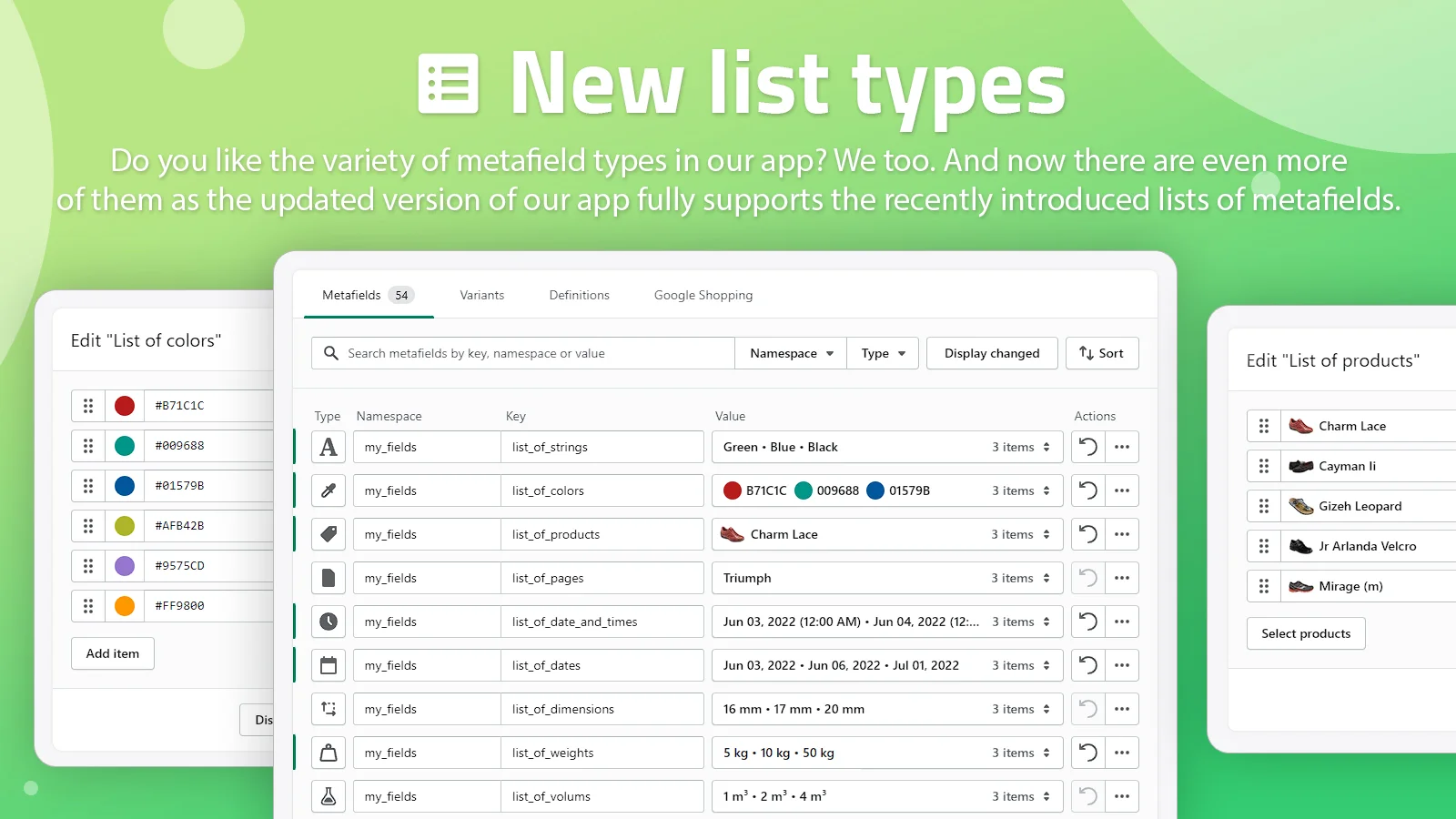
We support all existing metafield lists. They allow merchants to store multiple values in a single metafield. This comes in handy for those who utilize the most of their Shopify store. Managing custom upsell/cross sell products, selecting multiple file for downloads or image sliders has never been more convenient.
Full-screen mode for the Excel-like editor
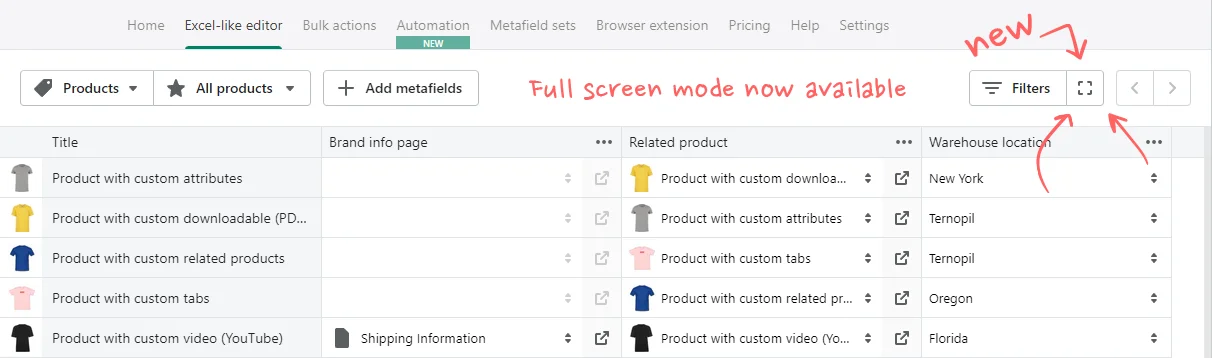
The last, but not the least important: we've implemented full-screen mode for Excel-like editor.
FAQ
What does the Metafields Guru Shopify Flow integration do?
It adds a custom "Update metafield" action to Shopify Flow, so you can build no-code automations - with triggers, conditions, and actions - that update a metafield when something happens in your store. Unlike the default Shopify Flow actions, this custom action supports all metafield types.
Which Shopify plans can use Shopify Flow with Metafields Guru?
Shopify Flow is available only for stores subscribed to the Shopify Plus, Advanced, or Shopify plans, or those that use the Shopify Fulfillment Network - the same availability rules Shopify sets for Flow itself.
Does Metafields Guru support Shopify metafield lists?
Yes, Metafields Guru supports all existing metafield lists, which let merchants store multiple values in a single metafield - useful for things like custom upsell/cross-sell products, multiple downloadable files, or image sliders.
What's new in the Excel-like editor in this update?
The Excel-like editor gained a full-screen mode.
Try it
Open Metafields Guru from your Shopify admin to build a Shopify Flow automation with the "Update metafield" action, or try full-screen mode in the Excel-like editor. New to Metafields Guru? Install it from the Shopify App Store.