Metafields Guru July 2023 update: new CSV formats, advanced filters, and 3x faster imports

In July 2023, Metafields Guru shipped a large update centered on data handling and speed: new "rows" and "columns" CSV layouts for export and import, a visual advanced filter builder, one-click metafield copying between resources, human-friendly value conversion, and detailed bulk action reports - on top of imports that run 3x faster. Here's what changed.
What's new at a glance
- New CSV layouts - "rows" and "columns" formats for both export and import.
- Visual advanced filter builder - more precise selection of parent resources and metafield filtering by namespace/key.
- One-click metafield copying between resources.
- Flexible empty-metafield export - export by namespace, custom lists, or up to 25 empty metafields per task.
- Human-friendly value conversion for complex metafield types like lists and references.
- 3x faster imports, 3-10x faster bulk actions, plus detailed downloadable bulk action reports.
Big news! We've released another huge update for our app.
Without further ado, let's see what's new!
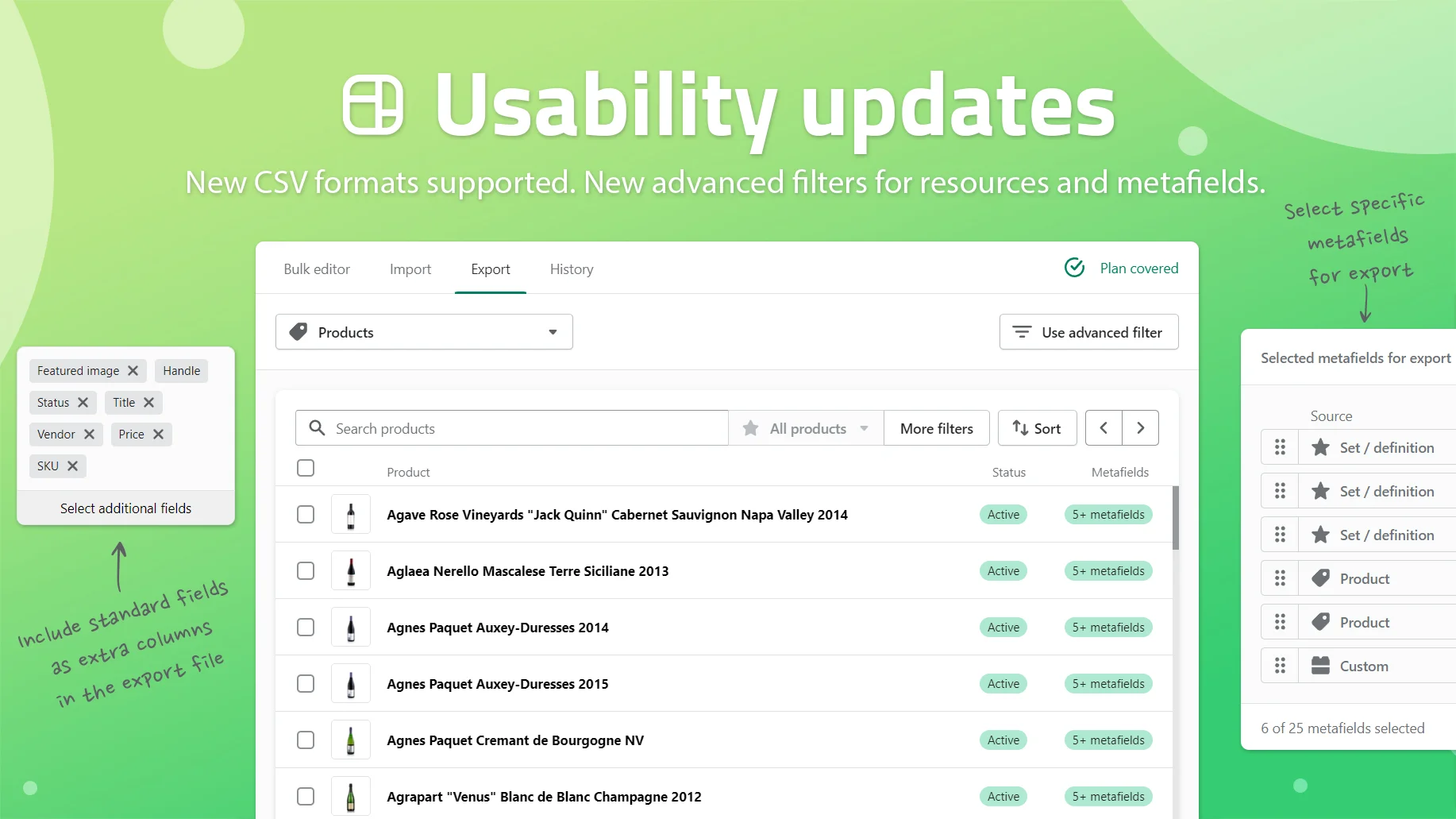
- New CSV formats supported. Choose between the good-old "rows" and the all-new "columns" layouts at your convenience. Those formats can be used for both exports and imports.
- New advanced filters for resources (products, collections, etc.) and metafields. The visual builder is now available, the query builder has been updated. Create even more precise selections of parent resources and filter metafields by namespaces/keys.
- Copy metafields from one resource to another in just a couple of clicks.
- Export all metafields, the ones that belong to certain namespaces, or specify custom lists. The "export empty metafields" option now supports up to 25 metafields per task.
- Convert metafield values into a human-friendly format. A great feature for complex metafield types like lists and references.
Improved performance
- Data imports are now 3x faster compared to the previous version of our app.
- Bulk actions are now 3-10x faster (depending on the type) compared to the previous version of our app.
Better bulk action reports
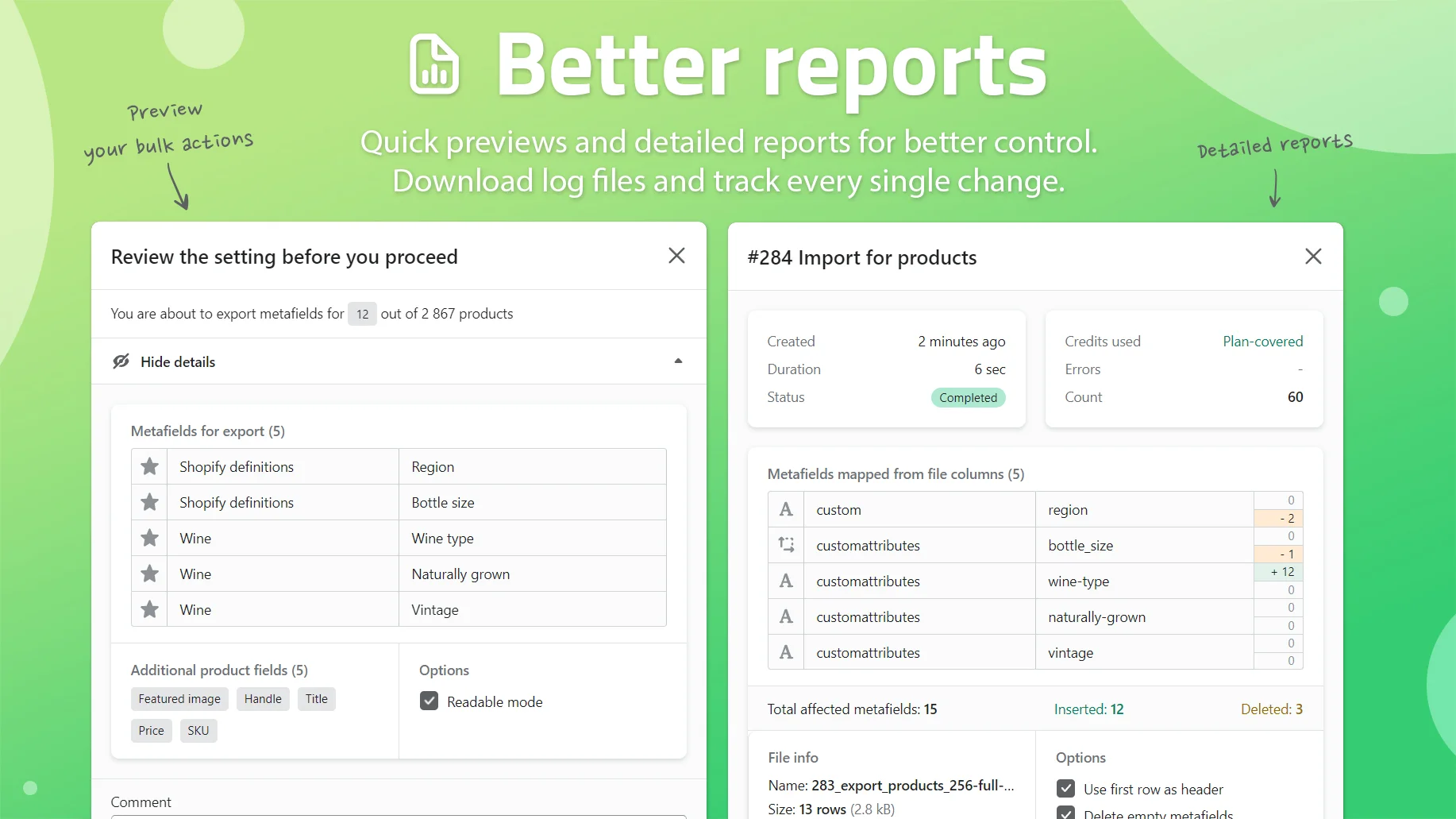
- Download detailed reports and see the list of every single created/updated/deleted metafield for each bulk action. Available for the bulk actions that were created after the update was released.
- View more information about the settings, progress, and results of bulk actions. Available for the bulk actions that were created after the update was released.
- Download source files for completed imports directly from the app.
FAQ
What's new in the Metafields Guru July 2023 update?
New "rows" and "columns" CSV layouts for both export and import, a visual advanced filter builder for resources and metafields, one-click metafield copying between resources, export options for empty metafields (up to 25 per task), human-friendly conversion of complex metafield values, 3x faster data imports, 3-10x faster bulk actions, and detailed downloadable reports for bulk actions created after the update.
What CSV formats does Metafields Guru support for export and import?
You can choose between the "rows" layout and the "columns" layout, and both formats work for exports and imports.
What changed with advanced filters in this update?
A visual filter builder is now available and the query builder was updated, letting you create more precise selections of parent resources (products, collections, and so on) and filter metafields by namespace or key.
Can I copy metafields from one resource to another?
Yes, the July 2023 update added the ability to copy metafields from one resource to another in just a couple of clicks.
How much faster are imports and bulk actions after this update?
Data imports are 3x faster and bulk actions are 3-10x faster (depending on the type) compared to the previous version of the app.
What information do bulk action reports show?
For bulk actions created after the update, you can download detailed reports listing every metafield that was created, updated, or deleted, view more information about the settings, progress, and results of the action, and download the source files used for completed imports directly from the app.
Try it
Open Metafields Guru from your Shopify admin and try the new CSV export or CSV import formats. New to Metafields Guru? Install it from the Shopify App Store or start with the introduction.