Variant text/HTML metafield theme block
Intro
This tutorial covers the peculiarities of a specific block. Please ensure you are familiar with the basic tutorial before proceeding.
Supported metafield types
The given block is compatible with the following metafield types:
- Single-line text field *;
- Multi-line text field;
- Rich text field;
- String (deprecated);
- Language;
- Number integer *;
- Number decimal *;
- Integer (deprecated);
- Money;
- Weight *;
- Volume *;
- Dimension *;
- Antenna gain *;
- Area *;
- Battery charge capacity *;
- Battery energy capacity *;
- Capacitance *;
- Concentration *;
- Data storage capacity *;
- Data transfer rate *;
- Display density *;
- Distance *;
- Duration *;
- Electric current *;
- Electrical resistance *;
- Energy *;
- Frequency *;
- Illuminance *;
- Inductance *;
- Luminous flux *;
- Mass flow rate *;
- Power *;
- Pressure *;
- Resolution *;
- Rotational speed *;
- Sound level *;
- Speed *;
- Temperature *;
- Thermal power *;
- Voltage *;
- Volumetric flow rate *;
The list versions are supported for the types marked with a star ("*").
Configuring your block
Make sure to copy the correct namespace and key from variant-level metafields:
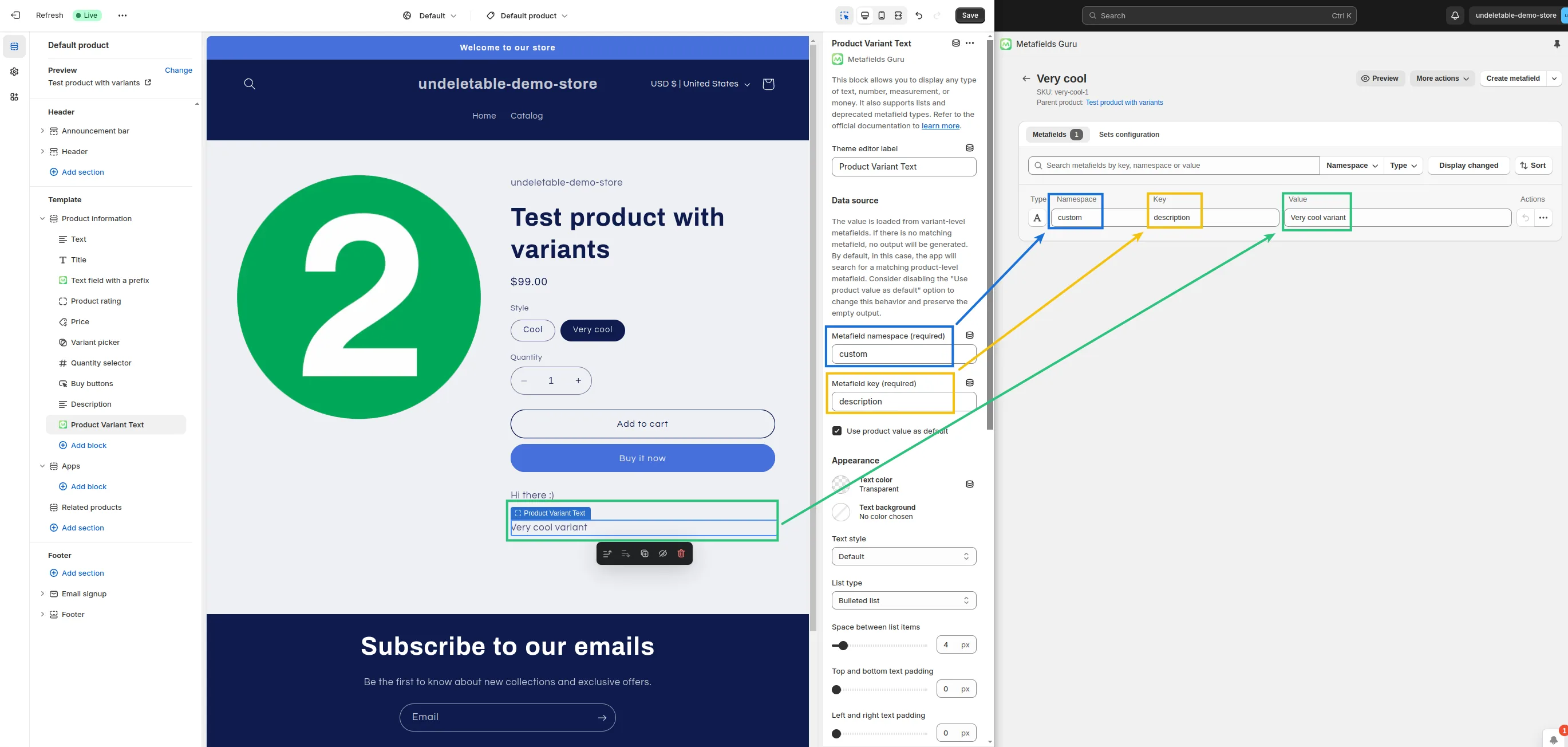
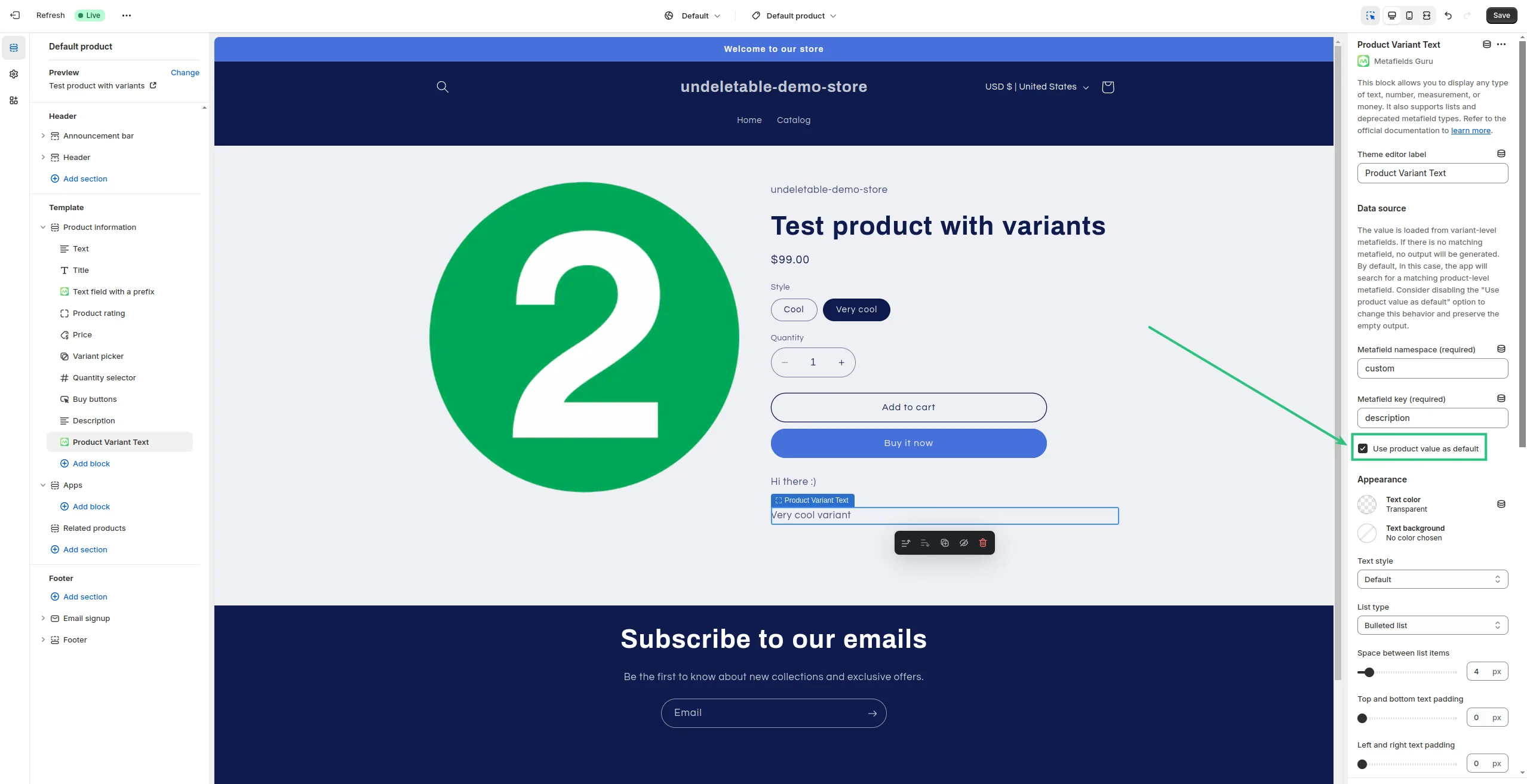
You can also use product-level metafields as placeholders for those of your variants that don't have the metafield yet. If you want to disable this feature, all you need to do is un-tick this option:
Customizing your block
Please refer to this tutorial to learn more about customizing a text block.